DrumRoom
A free drum sampler built around real multi-mic recording. Play packs made by artists — or record, build and sell your own.
What it is
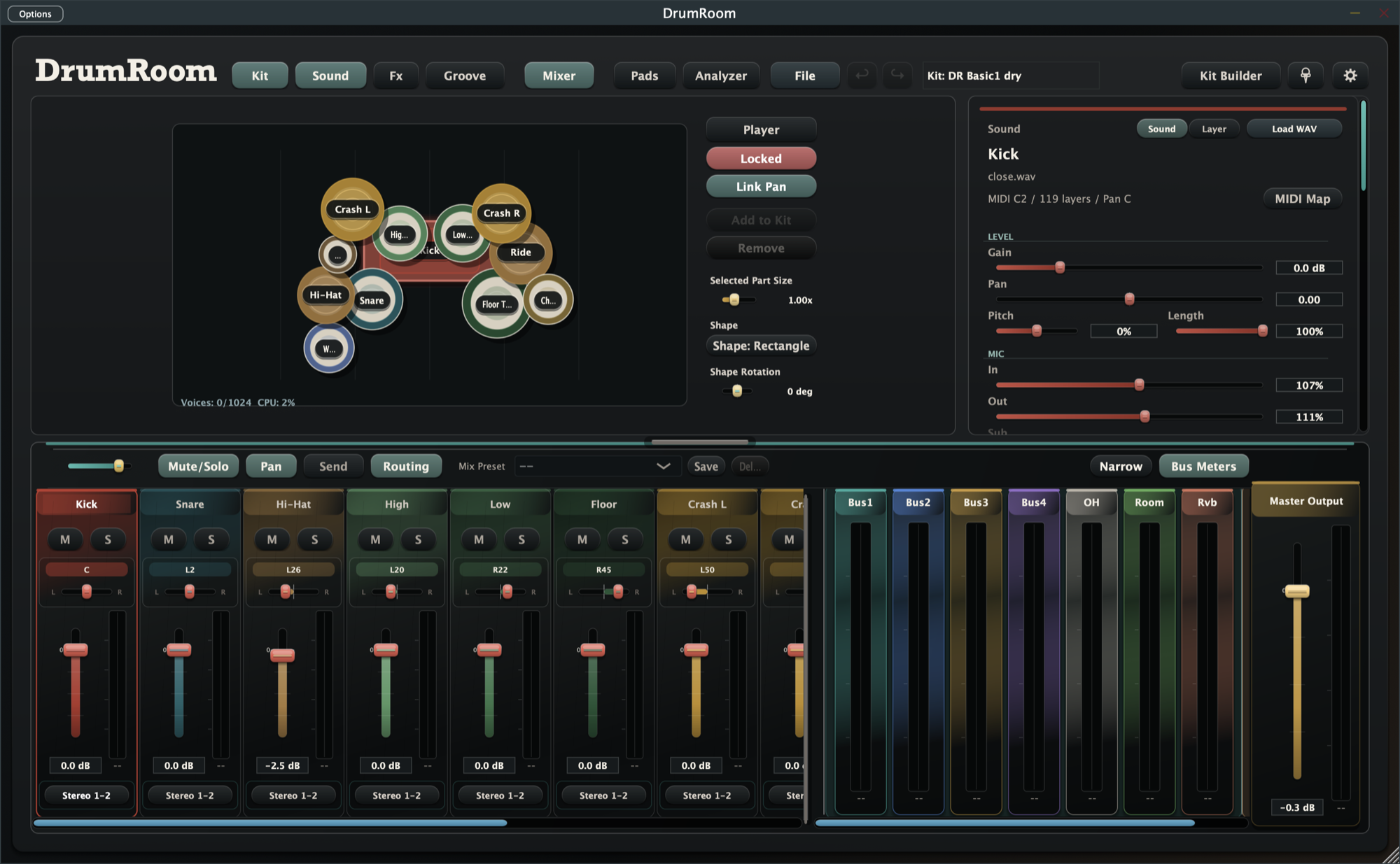
DrumRoom treats a drum kit the way a studio does. Every instrument keeps its close mic, overheads, room and bleed — so a kit doesn't just sound sampled, it sounds recorded. Deep-sampled velocity layers, round robins and articulations respond like the real thing, from soft cross-stick to choked crash.
It runs standalone or as a VST3 / AU plugin, on macOS and Windows. The app is free; drum kits travel as .droomset packs — download artists' packs from OtoMarket, or build your own.
Underneath, DrumRoom is really two instruments in one: a player for kits made by other people, and a recorder for kits you make yourself. The same mixer, the same MIDI mapping and the same articulation model apply whether you're playing a pack someone else tracked in a real room, or one you captured five minutes ago in your own.
Features
- MULTI-MIC ENGINE
Every instrument carries its close mic, overheads, room and bleed. Balance each mic per instrument, or route them to separate outputs in your DAW.
- DEEP SAMPLING
Velocity layers, round robins and articulations — rimshots, cross sticks, cymbal chokes, continuous hi-hat openness (CC4). Plays naturally from any MIDI kit; V-Drums mapping built in.
- KIT BUILDER
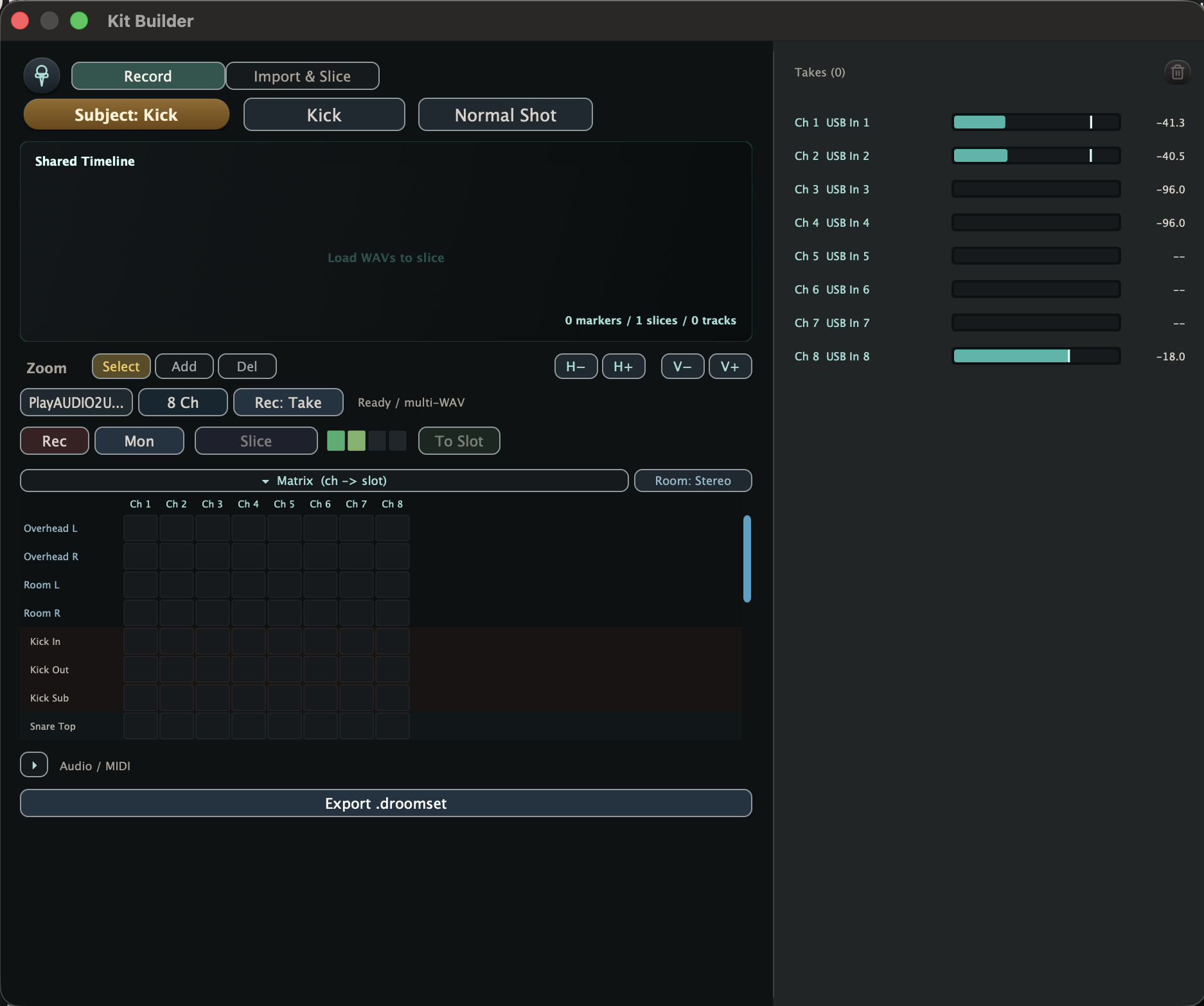
Record your own drums straight into the app, multi-mic and all. Slice takes with transient snap and auto-map hits into velocity layers.
- GROOVE
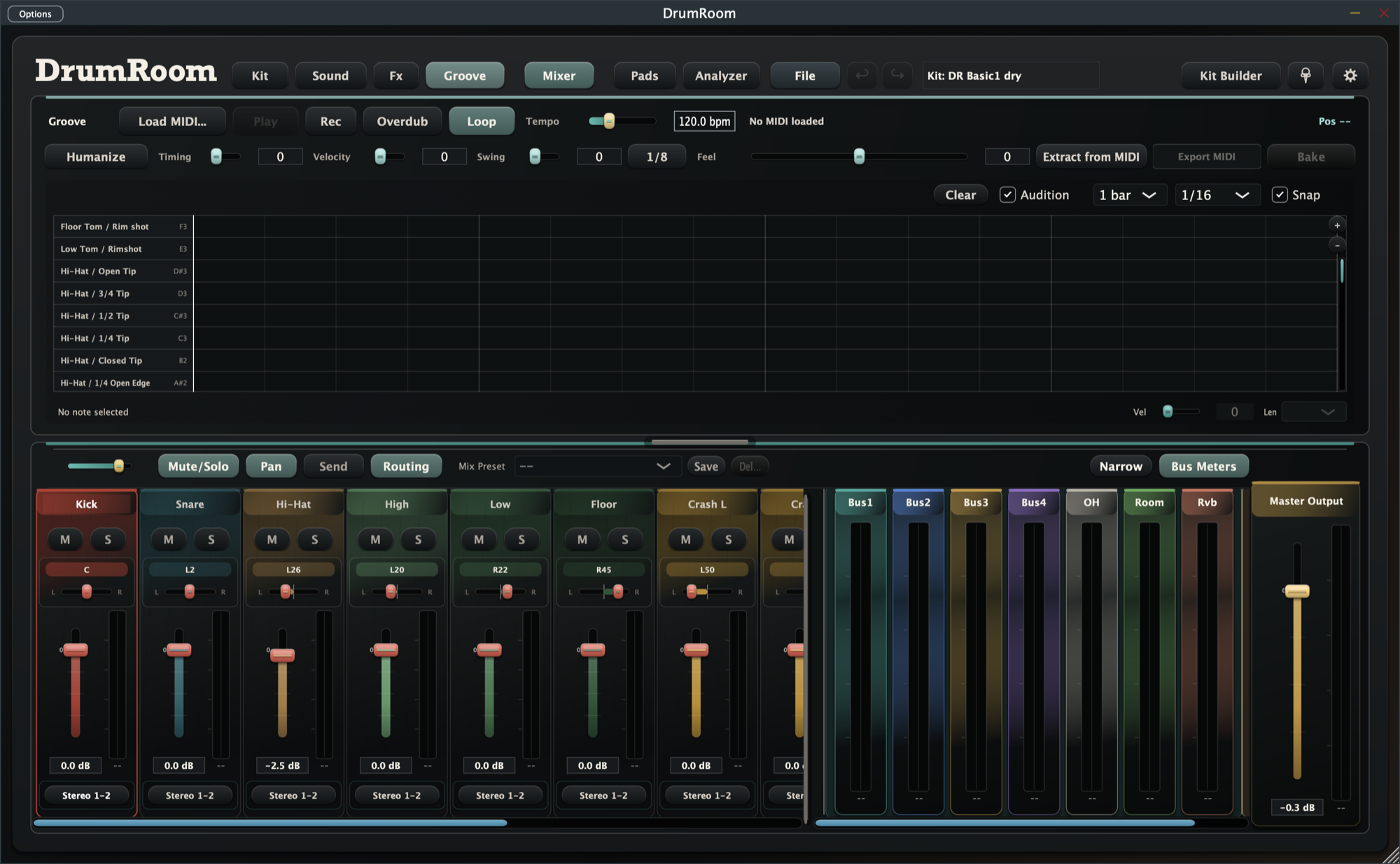
A built-in sequencer with live MIDI recording, MIDI import / export and humanize. Sketch a beat without leaving the plugin.
- MIXER & FX
Per-instrument EQ, transient shaper and compressor. Buses, a multi-mode reverb (algorithmic and impulse-response), and a master limiter.
- PACKS
Kits travel as .droomset packs. Download packs from OtoMarket inside the app — or export your own and sell them.
How the multi-mic engine works
A real drummer isn't one microphone. A close mic catches the attack and the drum's own timbre; overheads pick up the cymbals and the kit's overall balance; a room mic adds the space the kit is sitting in; and every mic also catches a little of everything else — the kick bleeding into the snare mic, the snare bleeding into the overheads. That bleed isn't noise to be filtered out. It's most of what makes a kit sound like a kit instead of four unrelated drum sounds stacked on top of each other.
DrumRoom keeps that structure instead of flattening it into one sample per hit. Each instrument's layers carry a mic role — close, overhead, room or bleed — and the Sound view exposes a fader for each one, so you can push the room back for a tight, dry sound or bring it forward for something that feels like it was cut live in a space. Inside a DAW, the same instrument can also be routed to separate multi-out channels, so the balancing you'd normally do at the console happens on your own mixer instead of being baked into the sample.
The same per-mic thinking carries into articulation. A snare isn't just "loud" and "soft" — it's normal hits, rimshots and cross sticks, each deep-sampled across velocity layers and round robins so a fast roll doesn't machine-gun the same take. Hi-hats respond to continuous openness over MIDI CC4, the same controller most electronic kits already send, so closing the hat gradually sounds like a hand closing it, not four fixed clicks.
Who uses DrumRoom
A producer without a room full of mics can still get a part that sounds tracked instead of triggered — pick a pack, play it from a MIDI keyboard or an electronic kit, and the mic bleed and articulation model do the rest. A drummer with a room and a handful of mics can turn a single session into something reusable: record straight into Kit Builder, slice the takes, and keep a kit that recalls the exact same sound in every future project. Anyone building sample packs to sell gets a format built for exactly that — the mixer settings, MIDI map and every mic channel travel with the file, on OtoMarket or anywhere else it ends up. And for composers or mix engineers who need natural detail under a mix — hi-hat openness, choked crashes, rimshots — the articulation model handles it without programming each hit by hand.
Looking for more free, browser-based audio tools while you work? Suono also runs a free tools collection — no install required.
Anyone can make a pack
Record a kit in your room or in a studio. DrumRoom turns takes into playable packs — velocity splits, mic channels and articulations included — and exports them as a single .droomset. Publish it on OtoMarket and your drum sound becomes something other people can play.
Kit Builder handles the unglamorous part. Feed it a multi-mic take — one long recording per channel — and transient detection slices it into individual hits, snapping to the attack so nothing lands early or late. Assign velocity ranges, round robins and articulations to each slice, and Kit Builder keeps your assignments if you re-import matching audio from the same folder later, instead of making you start over. Recording itself runs on its own audio path, independent of the plugin engine, so arming a take doesn't interrupt whatever else is playing.
FAQ
- Is DrumRoom free?
- Yes — the app is free to download and use, standalone or as a VST3 / AU plugin, on macOS and Windows.
- What plugin formats and platforms does it support?
- Standalone, VST3 and AU, on macOS (Apple silicon and Intel) and Windows.
- Where do I get drum kits?
- From OtoMarket — download packs made by other artists directly inside the app, or from the OtoMarket website.
- Can I sell my own packs?
- Yes. Record a kit with Kit Builder, export it as a .droomset, and publish it on OtoMarket.
- What is a .droomset?
- A portable drum kit pack — a single file carrying the mixer, MIDI mapping and multi-mic samples, built to move between DrumRoom installs.
- Does it work with electronic drums or MIDI controllers?
- Yes — DrumRoom plays from any MIDI kit, with V-Drums mapping built in.
- What do "close", "overhead", "room" and "bleed" mean?
- They’re the mic roles DrumRoom keeps separate on every hit: close is the mic on the drum itself, overhead and room capture the kit and the space around it, and bleed is what the other mics pick up from nearby drums. Balancing those four is what makes a kit sound recorded instead of sampled.
- Can I map DrumRoom to the MIDI layout I already use?
- Yes — DrumRoom can apply hardware and software MIDI-mapping profiles (V-Drums, GM, BFD3, Addictive Drums 2 and others) in one step. Whatever’s left over after the profile is applied gets placed on an open note automatically, so nothing doubles up.
Download
DrumRoom is free. Get the installer for macOS or Windows from OtoMarket.
Download free on OtoMarket